Upload the form you already use
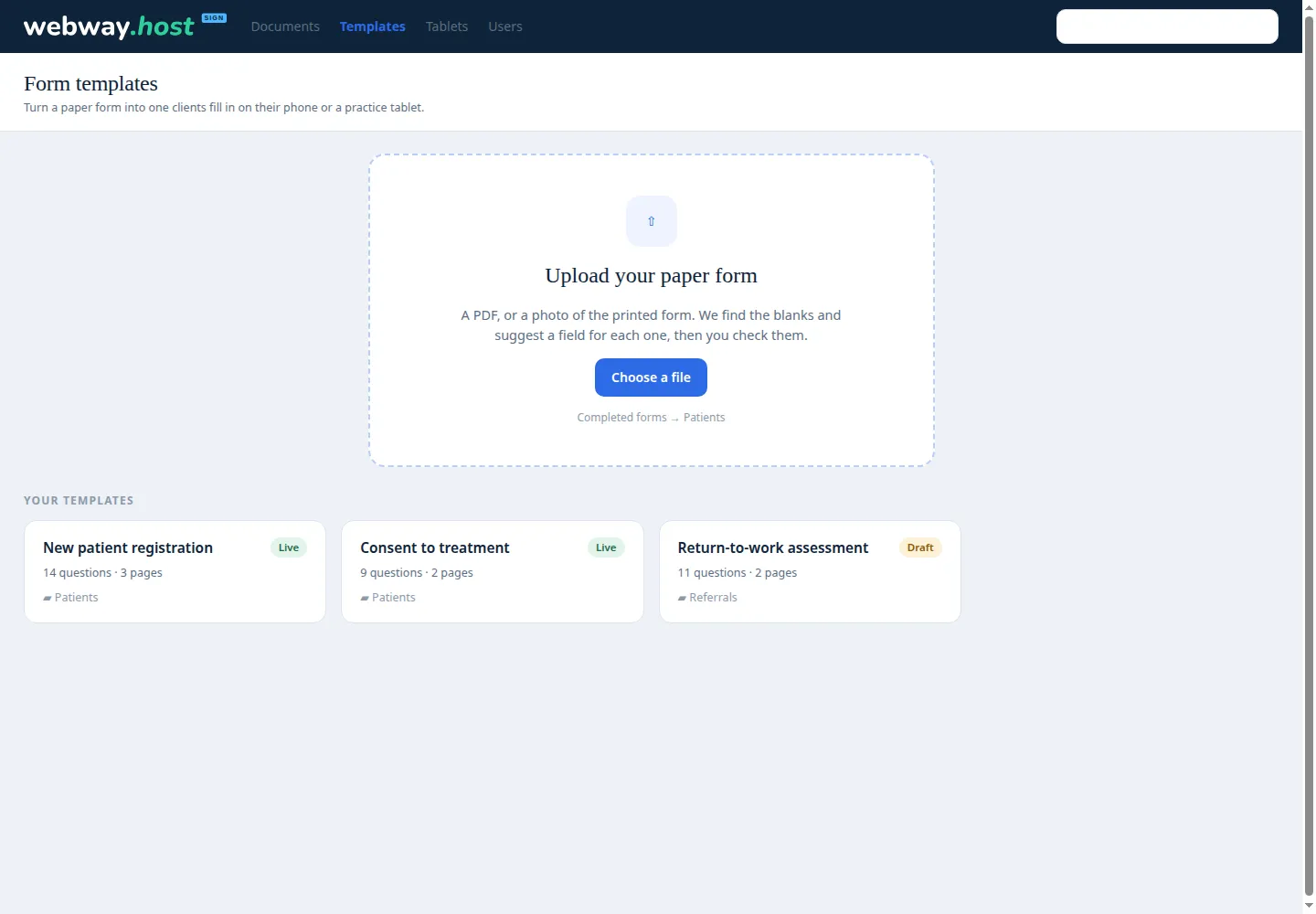
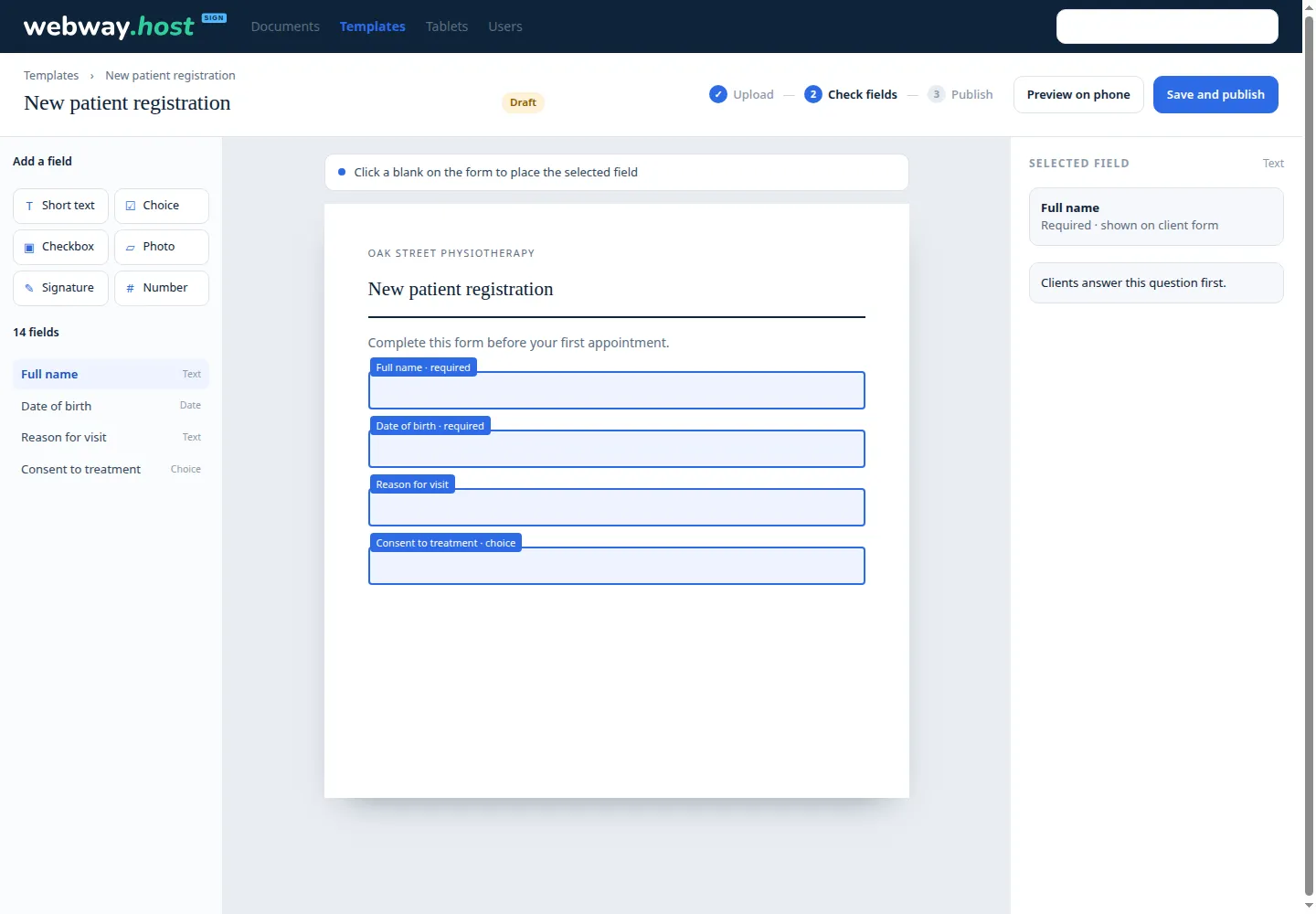
Upload a PDF or a photo of a printed form. Check the suggested questions, set the answer order, and publish it once.
These are real recordings of Webway Sign, at one and a half times normal speed. No mock-ups.
Click any clip to watch it full sizeDraw your signature with a mouse, trackpad or finger, type it, or upload a photo of it. It's saved to your account and ready for the next document.
Pick a colleague from your team or type in anyone's email. Every field you drop is theirs to fill. They get an emailed link, and you watch the status change from Awaiting others to Completed.
No account and no download. The dashed boxes are theirs: sign, type a name, add the date, then press Finish. When the last person finishes, the document is marked complete and you get an email.
For physio practices, doctors' surgeries and any business that asks the same questions every day, templates turn a paper form into a repeatable workflow.
Upload a PDF or a photo of a printed form. Check the suggested questions, set the answer order, and publish it once.
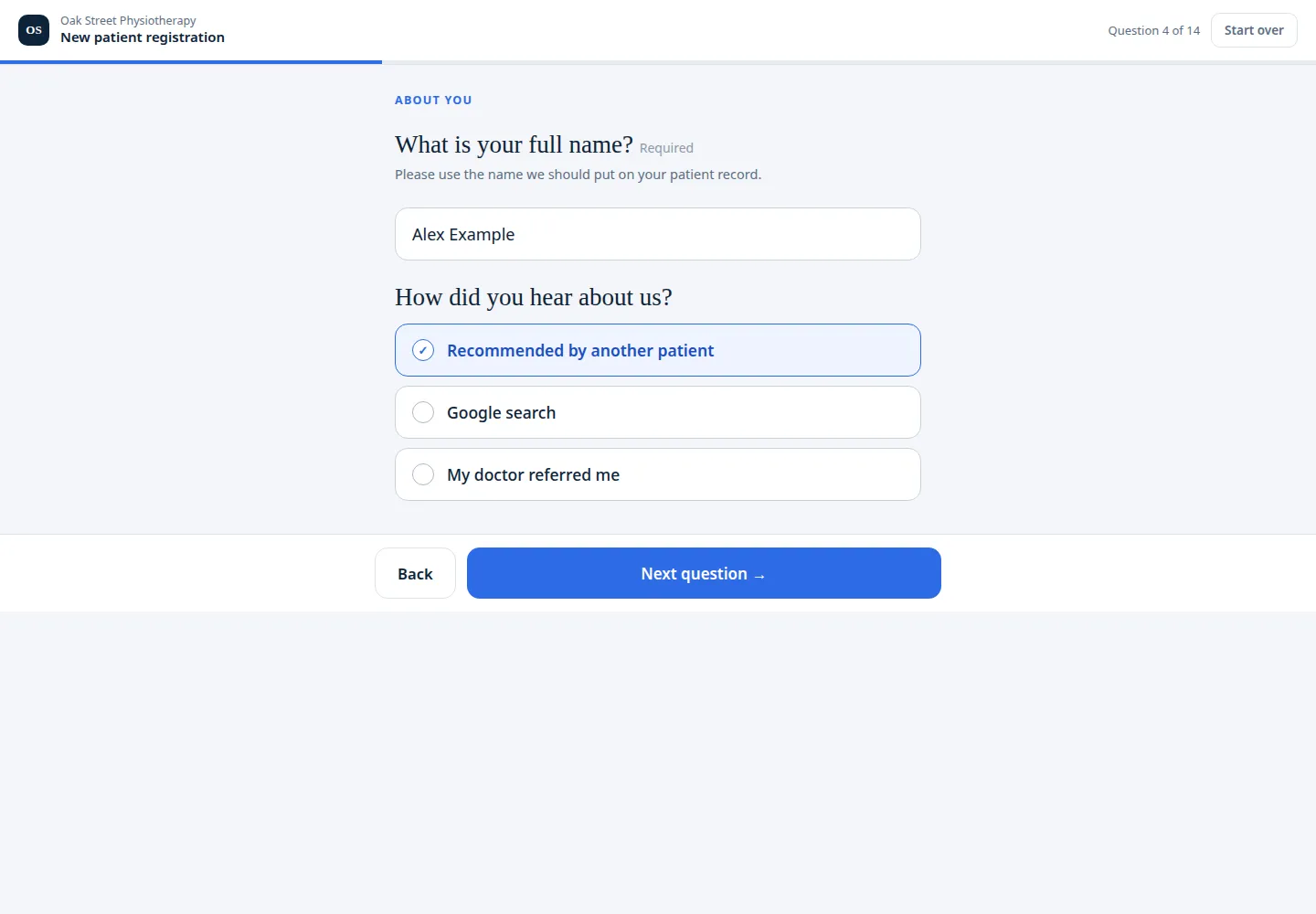
Clients complete the form on their phone without an account. The link can open the same form as many times as your practice needs.
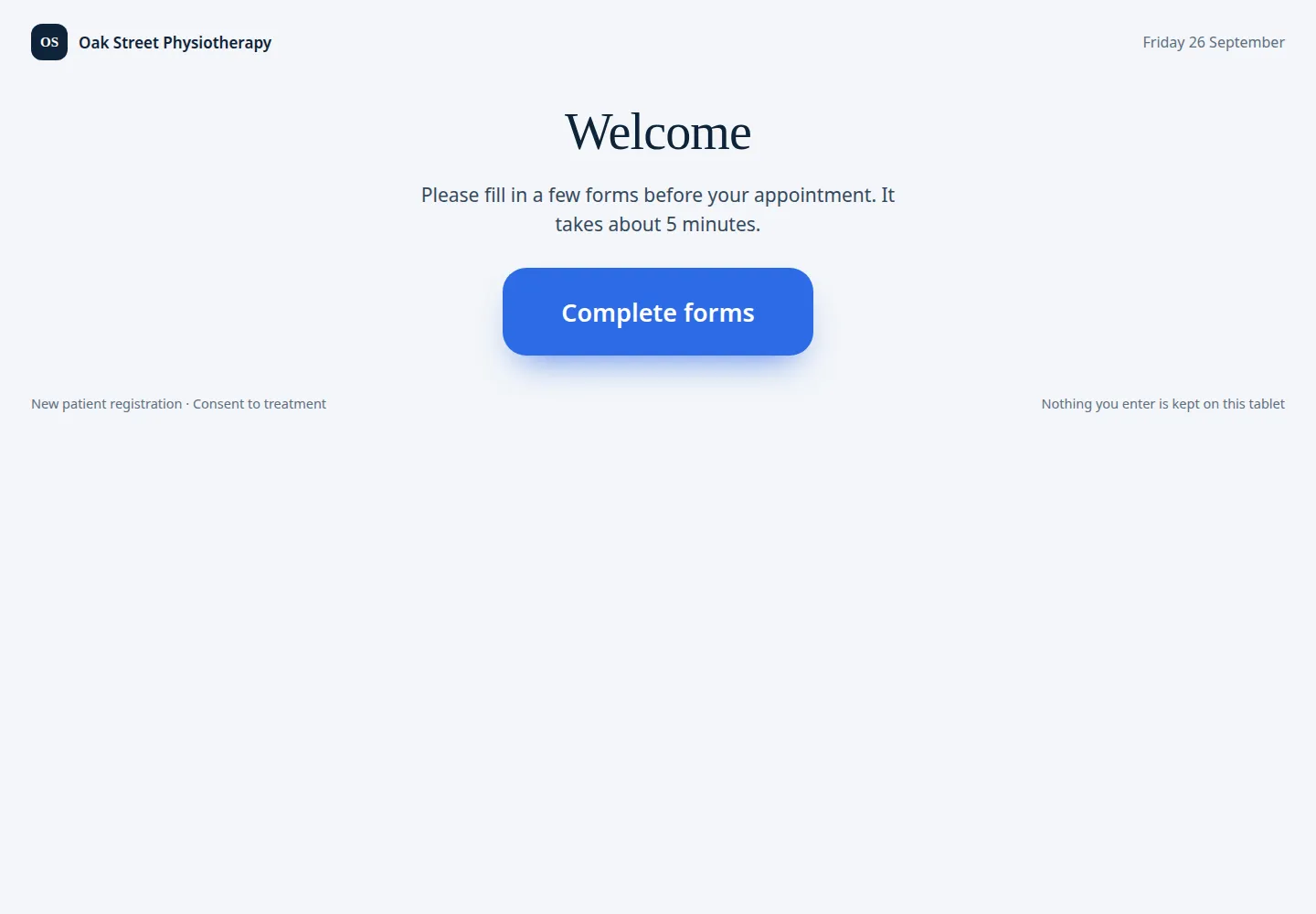
Authorise a practice tablet once and let clients complete the selected forms before an appointment. Answers become documents in your library.
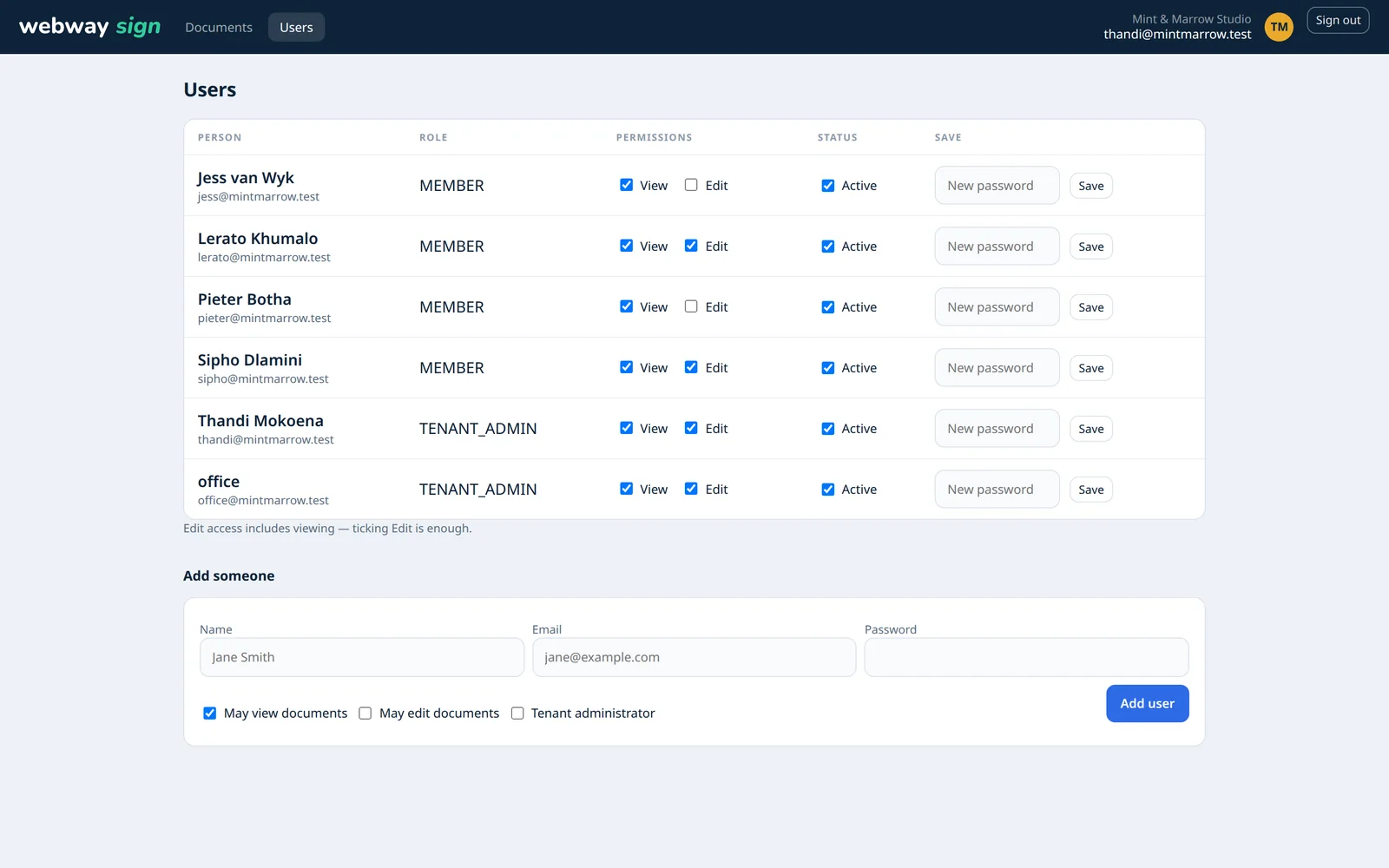
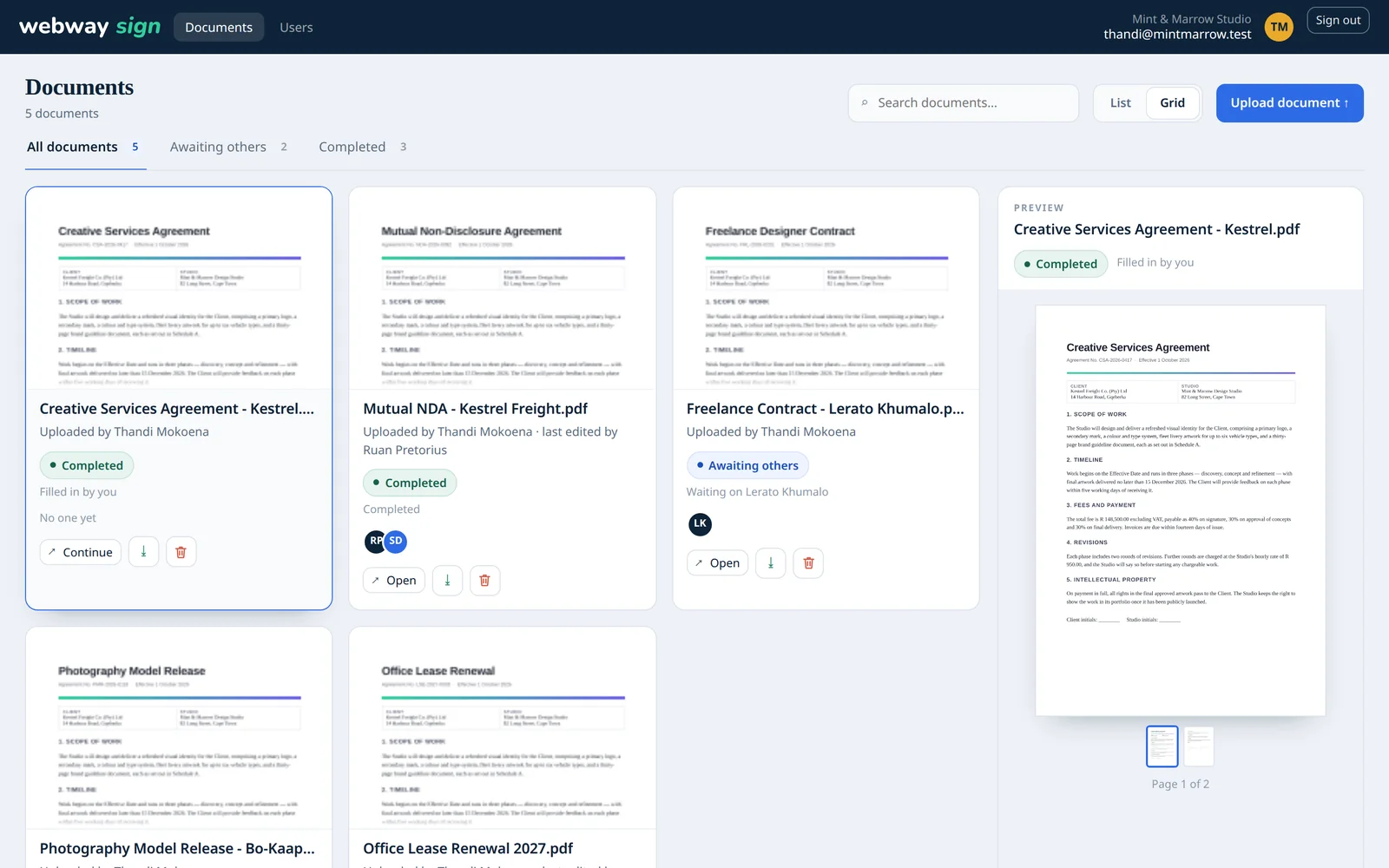
Real screens from a sample practice, showing documents, teams, reusable forms and the client experience.
Click any screenshot to enlarge, then click again to zoom in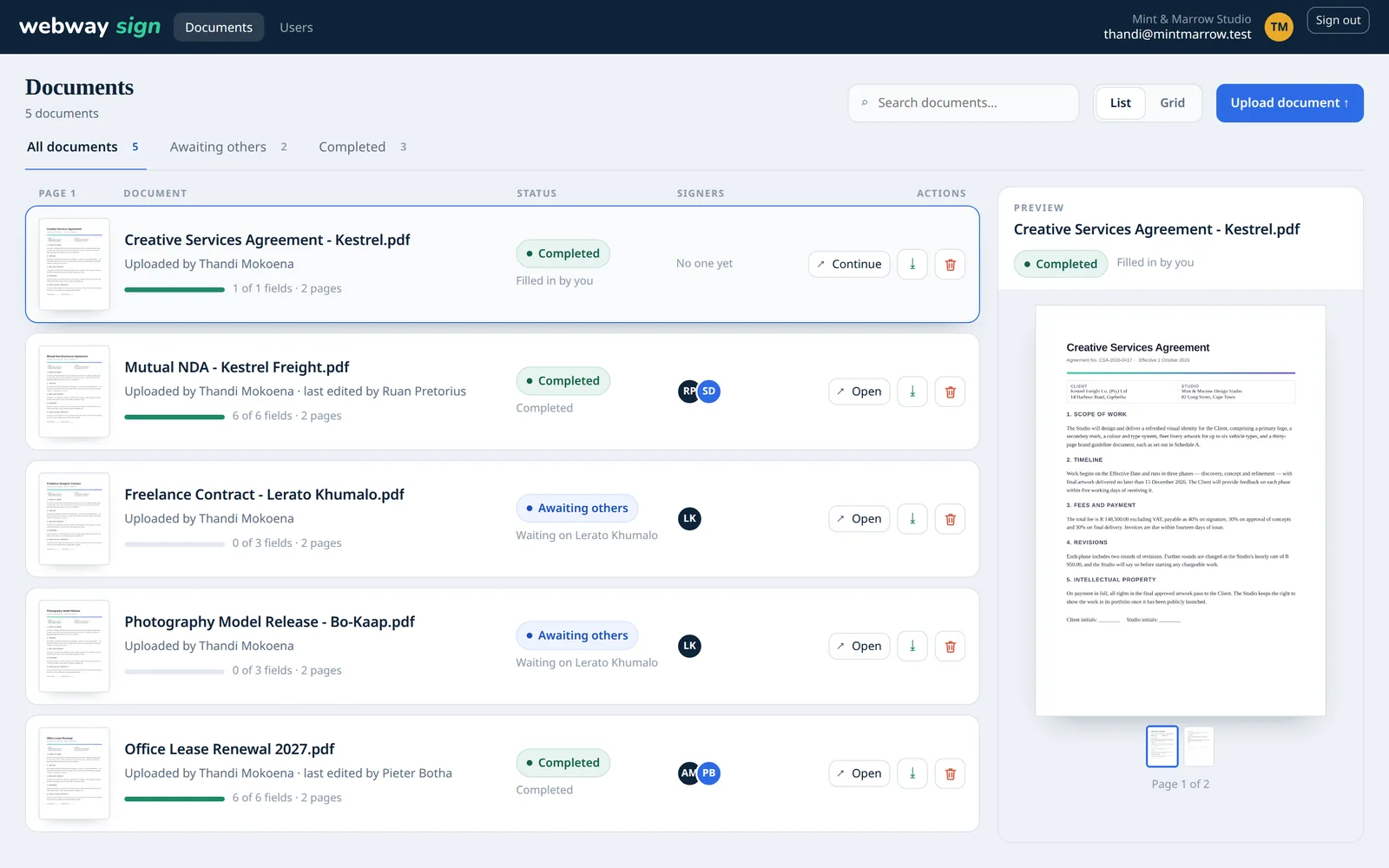
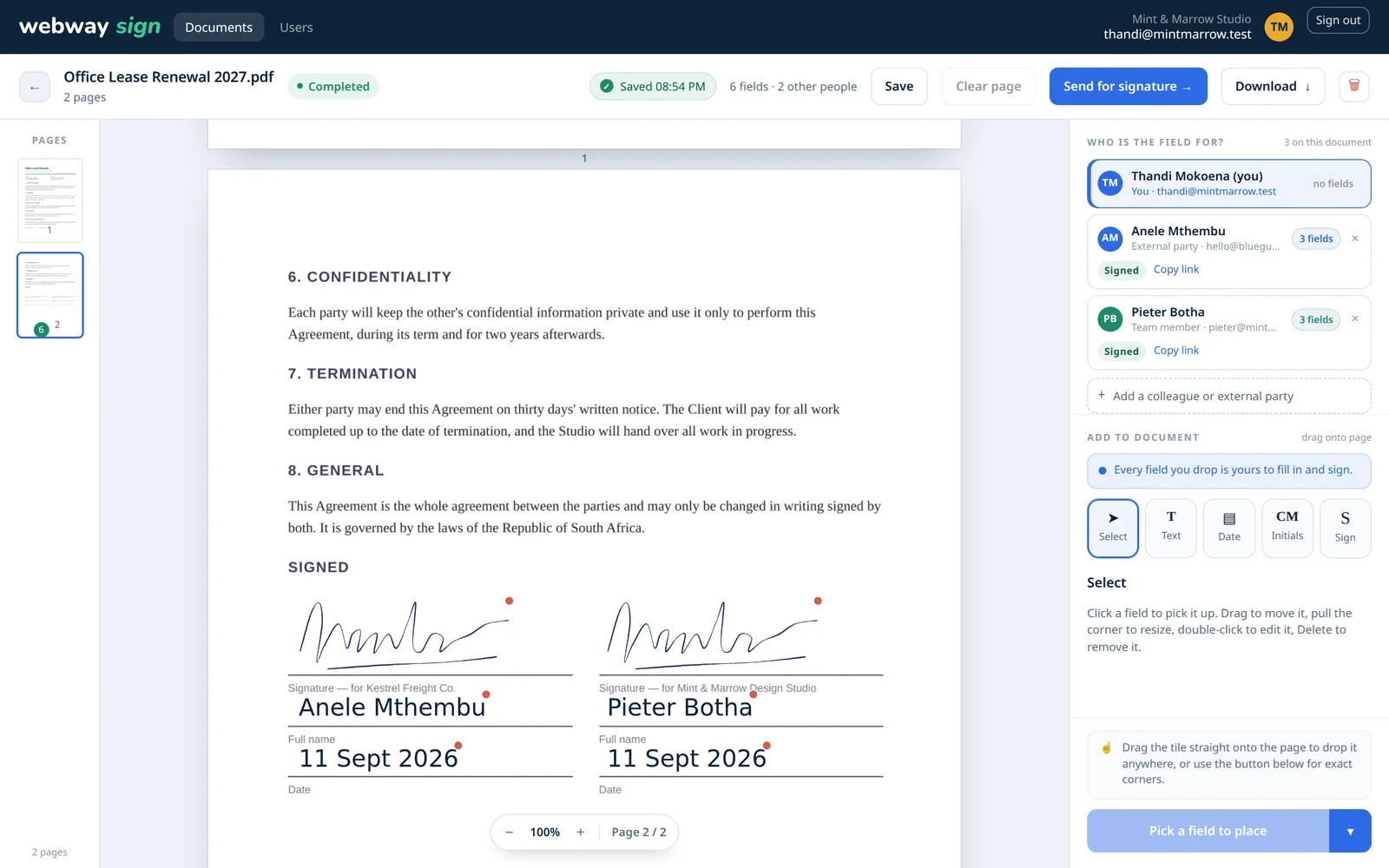
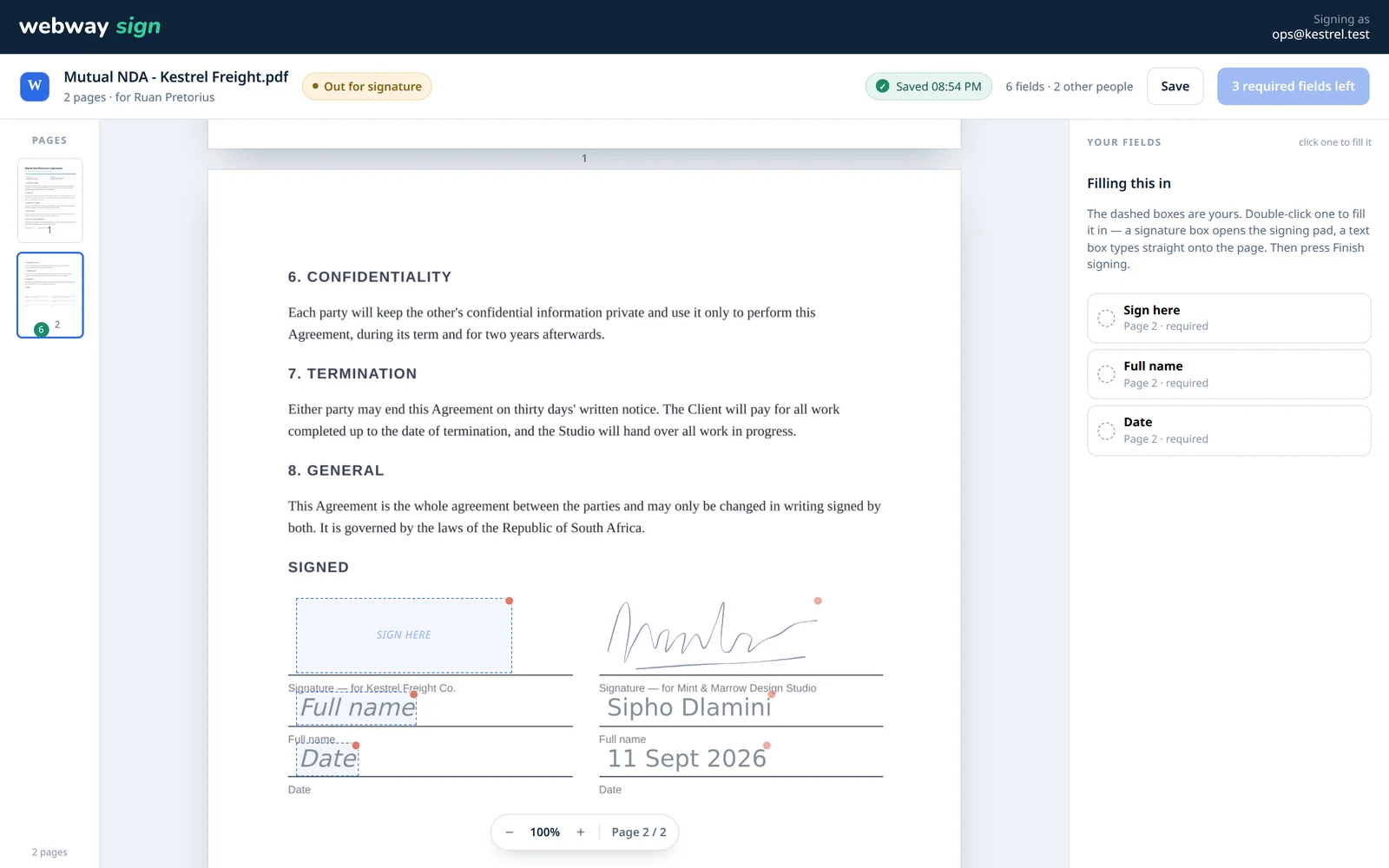
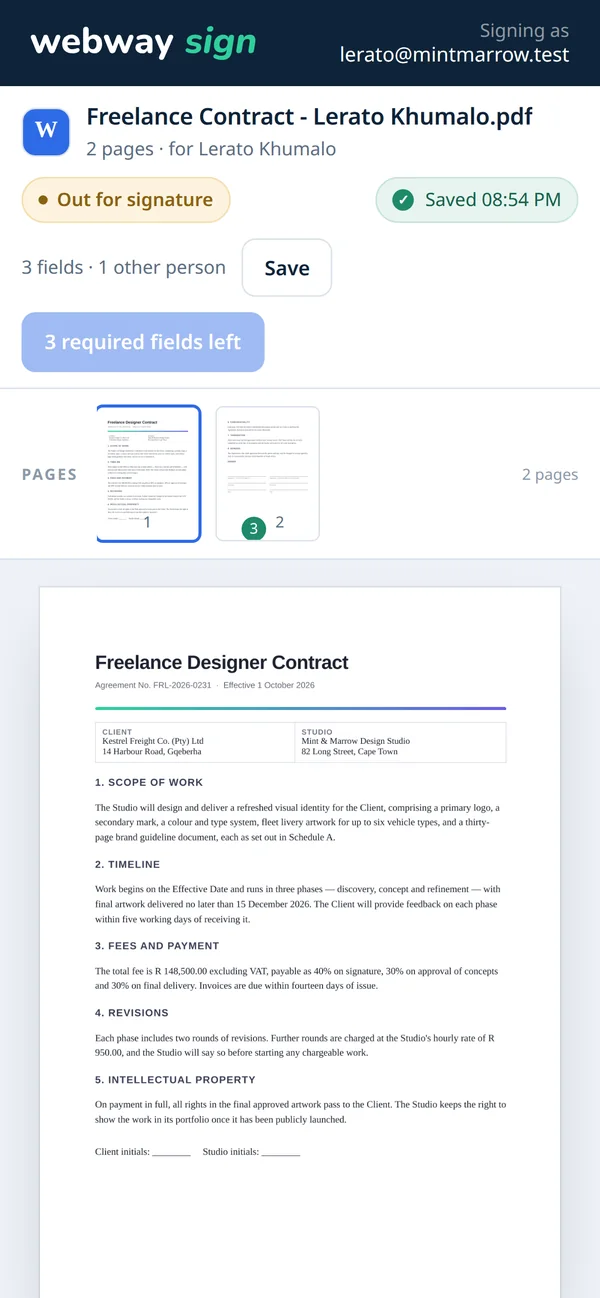
The signing page works on a phone screen, and the signature pad takes a finger. Tap your own field to fill it, then download the finished copy when it’s available.
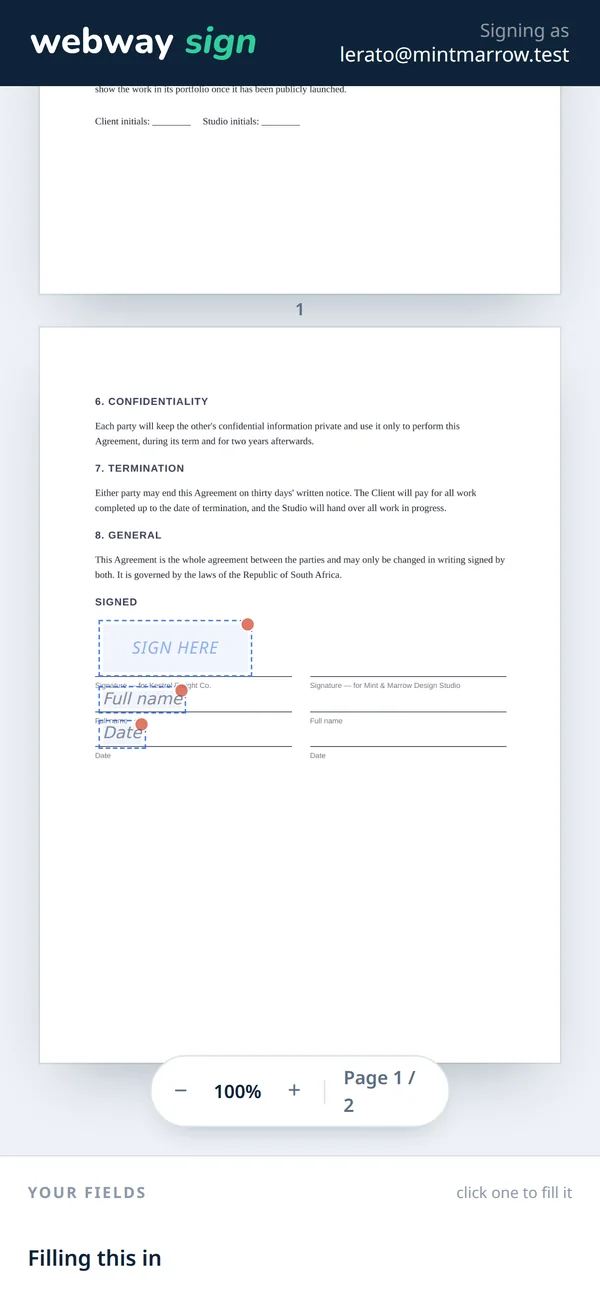
Drag a tile onto the page, snap it to a corner, or put it on every page at once. Each page is sized on its own.
Upload a phone photo of your signature. The paper background is removed and the image is trimmed to the ink.
Send to colleagues or to people outside your organisation. A link is all they need, and you can lock it with a password.
A signer can't move, delete or take over anyone else's field, whatever their browser sends.
Every download is rebuilt from the file you uploaded, so reopening a document keeps every field editable.
Rotated pages, offset crop boxes and "editing restricted" PDFs all sign properly.
Change someone's permissions or disable their account, and it applies on their next click, not their next login.
Create folders for clients or projects, search the folder tree and move a document from its editor. Folder access follows the same view and edit permissions as the document.
On the signing page, a tap on a text or date field starts typing and a tap on a signature field opens the pad. Signers never see the owner's editing controls.
Delete a document and its pages, previews and signature images go with it.
Contracts carry names, ID numbers and bank details. Only the people you choose should ever see them, so Webway Sign is built that way.
Every PDF you upload, every page preview and every signature image is encrypted with AES-256 before it is saved. Every connection uses HTTPS.
Your documents and the Webway Sign database are stored on servers in Johannesburg.
Each request for a document is checked against your organisation in the database. Another customer can't open it, even with its address.
Links stop working after 30 days unless you choose 7, 14, 90 days, a year or never. You can also add a password and a limit on how many times a link opens.
Five wrong passwords lock a signing link, or sign-in to an account, for 15 minutes.
Every document keeps an activity log of who opened, signed and downloaded it, when, and from which IP address.
Webway's admin screens show how many people and documents an account has, and have no way to open one.
Delete a document and its file, page previews, the signatures on it and its activity log are removed with it.
Anyone signing in with a password can turn on an authenticator app and recovery codes, and a team admin can require it for everyone. (The account that signs in through the Webway portal uses the portal's own sign-in instead.)
Each PDF you download carries a digital signature, so a PDF reader can show whether the file has changed since Webway Sign produced it. The seal's certificate is published at /seal-certificate.cer for anyone to check.
Once everyone has signed, the download gets an extra page recording the original file's fingerprint and, for each person, when they opened and signed it and from where.
When a Webway Sign service is cancelled or terminated, its documents, signatures, activity logs and every user account on it are deleted immediately, with no grace period to change your mind.
No. Each signer gets their own private link by email. If they're already on your team, their saved signature is ready to use.
Yes. Photograph or scan it and upload it. Webway Sign removes the white background and trims the image to the ink, so it doesn't paste a white box over your document.
It is never modified. Fields are stored separately, and every download builds a fresh copy from your original, digitally sealed so any change made to it afterwards can be detected.
Every link expires, after 30 days unless you pick another period. You can also set a password, shared with the signer some other way, and a limit on how many times the link can be opened. You decide whether signers can download the finished document, and the activity log shows every time the link was opened and from where.
Only people in your organisation with view or edit access, and the signers you send a document to. Files are encrypted on disk and stored in South Africa. Webway's admin screens show how many documents you have, never the documents themselves.
Yes. Give each person view or edit access. Editors can upload, place fields, send and delete documents. Viewers can open and download them. The same permissions apply to folders, so a shared library stays easy to manage.
Yes. Upload a PDF or photo of the form as a template, check the questions and publish it. Send the template's private link to clients, or put selected templates on an authorised reception tablet. Each completed form becomes a document in your library.
When your Webway Sign service is cancelled or terminated, its documents, signatures, activity logs and every user account on it are deleted immediately. There's no grace period, so keep a copy of anything you still need before that happens. See our privacy page for more.
South Africa's Electronic Communications and Transactions Act recognises electronic signatures for most agreements. Some documents require what the law calls an "advanced electronic signature", which needs an accredited provider and Webway Sign is not one, and a few — such as wills and agreements for the sale of land — aren't suitable for an electronic signature at all. The certificate of completion and digital seal on every document help show what happened and when, but we're not lawyers: get advice on any document where this matters.
Tell us how big your team is and we'll have your workspace ready to sign.